
Download Adobe Reader Touch – Free PDF Viewer for Windows 8 & RT
Overview
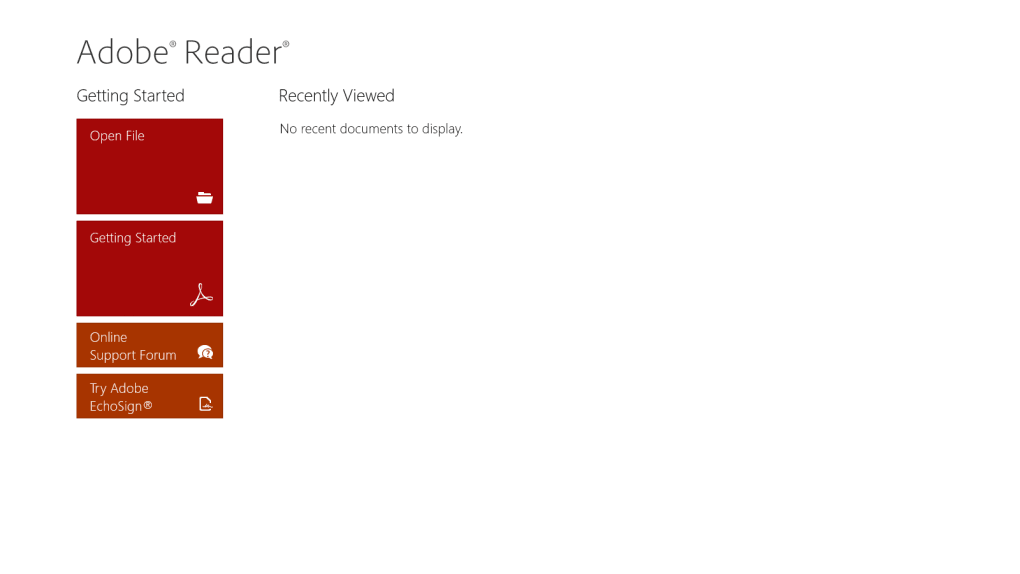
Adobe Reader Touch is a lightweight, purpose‑built PDF viewer designed specifically for Windows 8 and Windows RT devices. If you own a Surface tablet, a Windows 8 laptop, or any modern device running the Windows RT architecture, this app offers a no‑frills way to open, read, and navigate PDF documents without the overhead of a full‑featured desktop editor. The interface follows the modern Windows Metro design language, presenting a clean main screen with quick‑access tiles for opening a file, viewing a “Getting Started” guide, visiting Adobe’s support forum, and trying out EchoSign, Adobe’s e‑signature service.
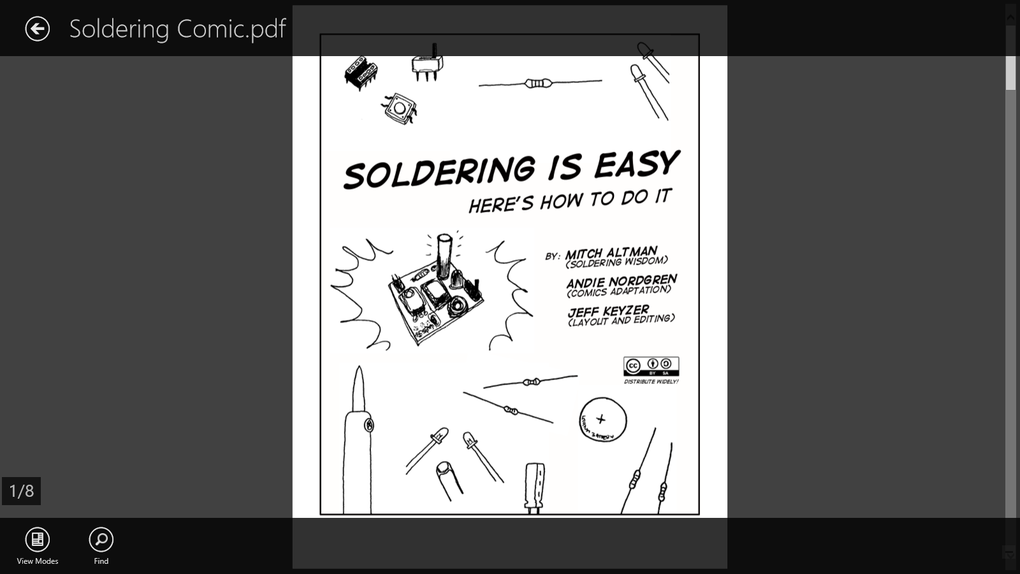
While the app does not provide annotation, form‑filling, or advanced editing capabilities, it excels at delivering a fast, secure, and stable reading experience. PDFs load instantly, thumbnails render correctly, and the built‑in history panel lets you revisit recent files with a single tap. The app also integrates with other Windows 8 apps such as Dropbox, OneDrive, and the native Files app, allowing you to open PDFs stored in the cloud without leaving the viewer.
For users who need a simple, secure, and free solution to view PDFs on a touch‑enabled device, Adobe Reader Touch hits the mark. However, power users looking for markup tools, OCR, or advanced PDF manipulation will need to upgrade to the full Adobe Acrobat desktop suite or explore alternative third‑party editors.
Key Features
- Touch‑optimized interface that follows Windows 8’s Metro design.
- Instant PDF rendering with smooth zoom and pan gestures.
- Integration with cloud storage providers (Dropbox, OneDrive, Google Drive).
- Simple file‑open dialog that supports local and network locations.
- Built‑in recent‑files history for quick access to previously viewed PDFs.
- Secure sandboxed environment that protects against malicious PDF exploits.
- Direct link to Adobe’s EchoSign service for electronic signatures.
- Lightweight footprint – the installer is under 30 MB and consumes minimal RAM.
- Automatic updates via the Windows Store to keep the viewer current.
- Support for standard PDF features such as bookmarks, hyperlinks, and embedded media.
Although the feature set is intentionally narrow, each item is crafted to work flawlessly on touch‑first hardware. The app’s minimalism translates into faster launch times and reduced battery drain, which is especially valuable on tablets that rely on limited power sources. Security‑focused users will also appreciate that Adobe Reader Touch runs in a sandboxed mode, limiting the app’s access to the rest of the system and reducing the attack surface for potentially compromised PDF files.
Installation, Usage & Compatibility
How to Install
Installing Adobe Reader Touch is straightforward. Open the Microsoft Store on your Windows 8 or Windows RT device, search for “Adobe Reader Touch,” and click the Get button. The app will download automatically and appear on your Start screen once the installation completes. Because the app is distributed through the Windows Store, you benefit from Microsoft’s verification process, ensuring that the installer is genuine and free from tampering.
First‑Run Experience
Upon first launch, the main tile presents four options: Open a File, Getting Started, Support Forum, and Try EchoSign. Selecting “Open a File” launches the Windows file picker, allowing you to browse local folders or cloud‑linked locations. Once a PDF is chosen, the viewer opens in full‑screen mode with a toolbar at the top that includes navigation arrows, a zoom slider, and a button to access the recent‑files list. The toolbar auto‑hides after a few seconds of inactivity, maximizing screen real estate for reading.
Device Compatibility
Adobe Reader Touch is compatible with the following operating systems:
- Windows 8 (both 32‑bit and 64‑bit builds)
- Windows RT (ARM‑based devices)
- Any device that supports the Windows Store and has a touch‑screen interface
The app does not run on Windows 7, Windows 10, or non‑Windows platforms such as macOS, Android, or iOS. Users on those systems should consider the desktop version of Adobe Acrobat Reader DC or other cross‑platform PDF readers.
Usage Tips
To maximize readability, use the pinch‑to‑zoom gesture or the on‑screen zoom slider. Double‑tap the screen to toggle between fit‑to‑width and fit‑to‑page views. The recent‑files panel can be cleared by tapping the trash‑can icon in the upper‑right corner, which is useful for maintaining privacy on shared devices. For faster access to cloud PDFs, enable the OneDrive or Dropbox integration from the Windows Settings app, then navigate directly to those folders from the file picker.
Pros & Cons
Pros
- Extremely lightweight – quick to download and launch.
- Touch‑first UI makes navigation on tablets effortless.
- Secure sandboxed environment protects against malicious PDFs.
- Seamless integration with popular cloud storage services.
- Free of charge with automatic updates via the Microsoft Store.
Cons
- Lacks annotation, form‑filling, and editing tools.
- No support for advanced features like OCR or PDF conversion.
- Zoom controls are basic; no precise numeric input.
- Only available on Windows 8/RT – not compatible with newer Windows 10/11 devices.
- Limited language support beyond English.
Frequently Asked Questions
Is Adobe Reader Touch completely free?
Yes, the app is free to download from the Microsoft Store and does not require any subscription or in‑app purchases. Updates are also provided at no cost.
Can I annotate PDFs with Adobe Reader Touch?
No. Adobe Reader Touch is intentionally basic and does not include annotation, highlighting, or form‑filling tools. Users needing those features should upgrade to Adobe Acrobat DC or use a third‑party editor.
Does the app work on Windows 10 tablets?
Adobe Reader Touch is limited to Windows 8 and Windows RT. On Windows 10, you should use the modern Adobe Acrobat Reader DC app, which offers similar touch support plus additional features.
How secure is Adobe Reader Touch when opening unknown PDFs?
The app runs in a sandboxed environment enforced by the Windows Store, which isolates it from the rest of the system. This reduces the risk of malicious code execution, but users should still avoid opening files from untrusted sources.
Can I open PDFs stored in Dropbox directly?
Yes. Adobe Reader Touch integrates with the Windows file picker, which includes linked cloud services like Dropbox and OneDrive. Simply navigate to the cloud folder and select the PDF you want to view.
Conclusion & Call to Action
Adobe Reader Touch delivers exactly what its name promises: a simple, fast, and touch‑optimized PDF viewer for Windows 8 and Windows RT devices. Its lightweight footprint and secure sandbox make it an ideal choice for students, casual readers, and anyone who wants a hassle‑free way to open PDFs on a tablet or hybrid laptop. While the lack of annotation and editing features may deter power users, the app’s free price tag and seamless cloud integration provide strong value for everyday viewing needs. If you’re ready to experience a clean, secure PDF reader on your Windows 8 device, click the download button below and get started instantly.







